Getting Started
Welcome to the Sword of Secrets! Thank you for supporting this project. It exists because of you. This guide will help you begin your hardware hacking journey.
When you have received your sword, share your unboxing or just say hi: @giliyankovitch
Your sword comes sealed in an electrostatic bag and packed inside a fully recyclable cardboard box, designed specifically for this product. The sword rests beneath the case cover, held in place by two 3D printed pins. Let’s begin by removing it.
Turn the case over and push one of the pins outward. It might take a bit of force, since the pins hold the entire case firmly together.

Once the pins have popped out, the sword should come out easily. Congratulations! You have your sword in your hands.
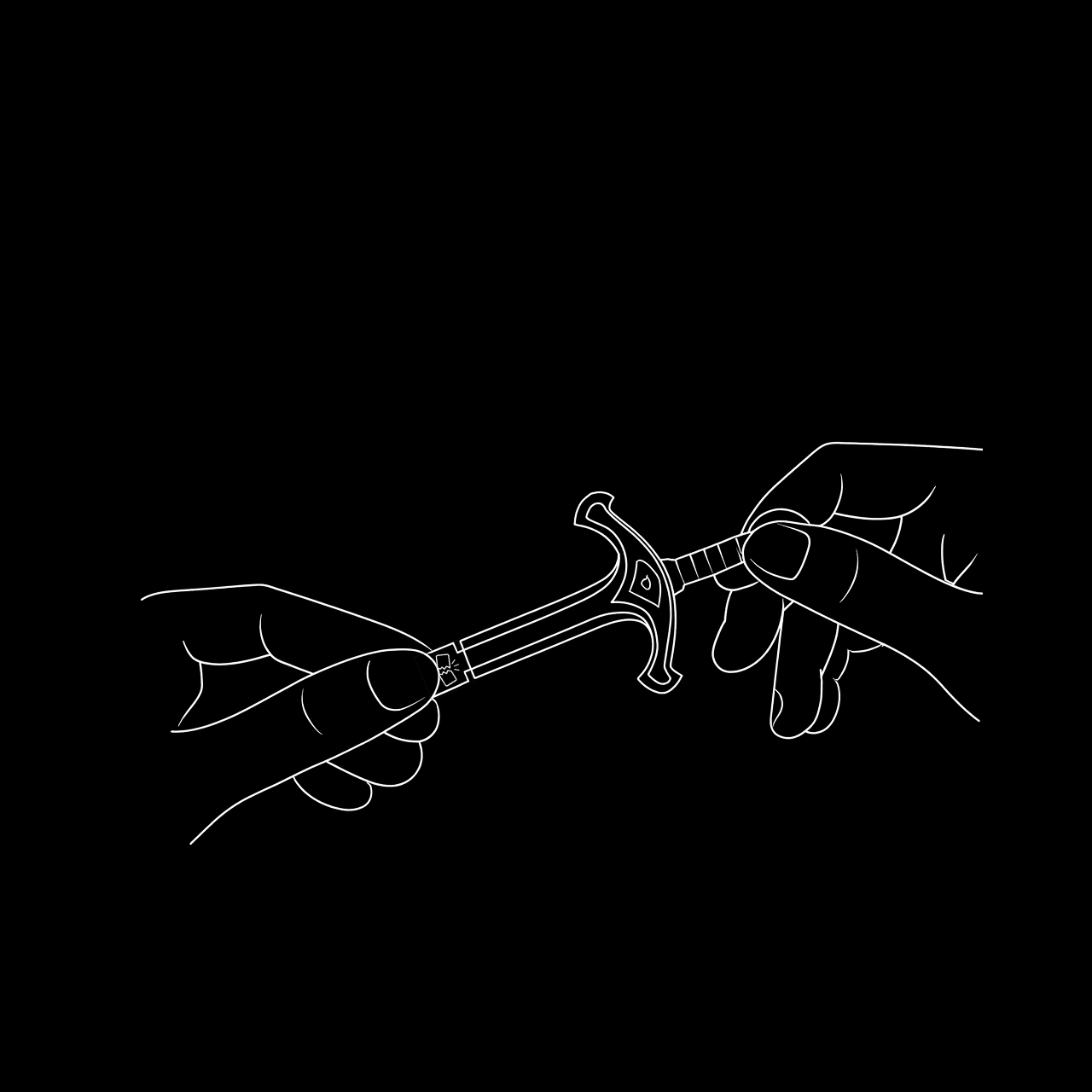
The Sword of Secrets is, as you can immediately see, a USB-powered device. Its PCB is only 1.2 mm thick, which is too thin for a standard USB-A connector. To solve this, a small shim is attached to the bottom of the sword. You will use this shim on the back side of the sword so it fits securely in any USB-A port.
To detach the shim, simply snap it off from the sword. It should break away cleanly and without effort.

Now flip the sword over, place the shim on its back side, and plug it into a USB-A port. The added thickness will let it sit snugly and securely in the connector.

Congratulations! Your sword is now ready to use. On startup, it will wait for new firmware and flash a few times. If the LED stays on, press the button to reboot and it should start normally.
Now head over to the GitHub repository to begin your journey. Good luck! :)